AI coding collaboration for modern teamsAI coding for teams
Multitask Team AI Coding ToolMultitask Team AI Coding ToolMultitask team collaboration AI Coding toolMultitask Team AI Coding Tool
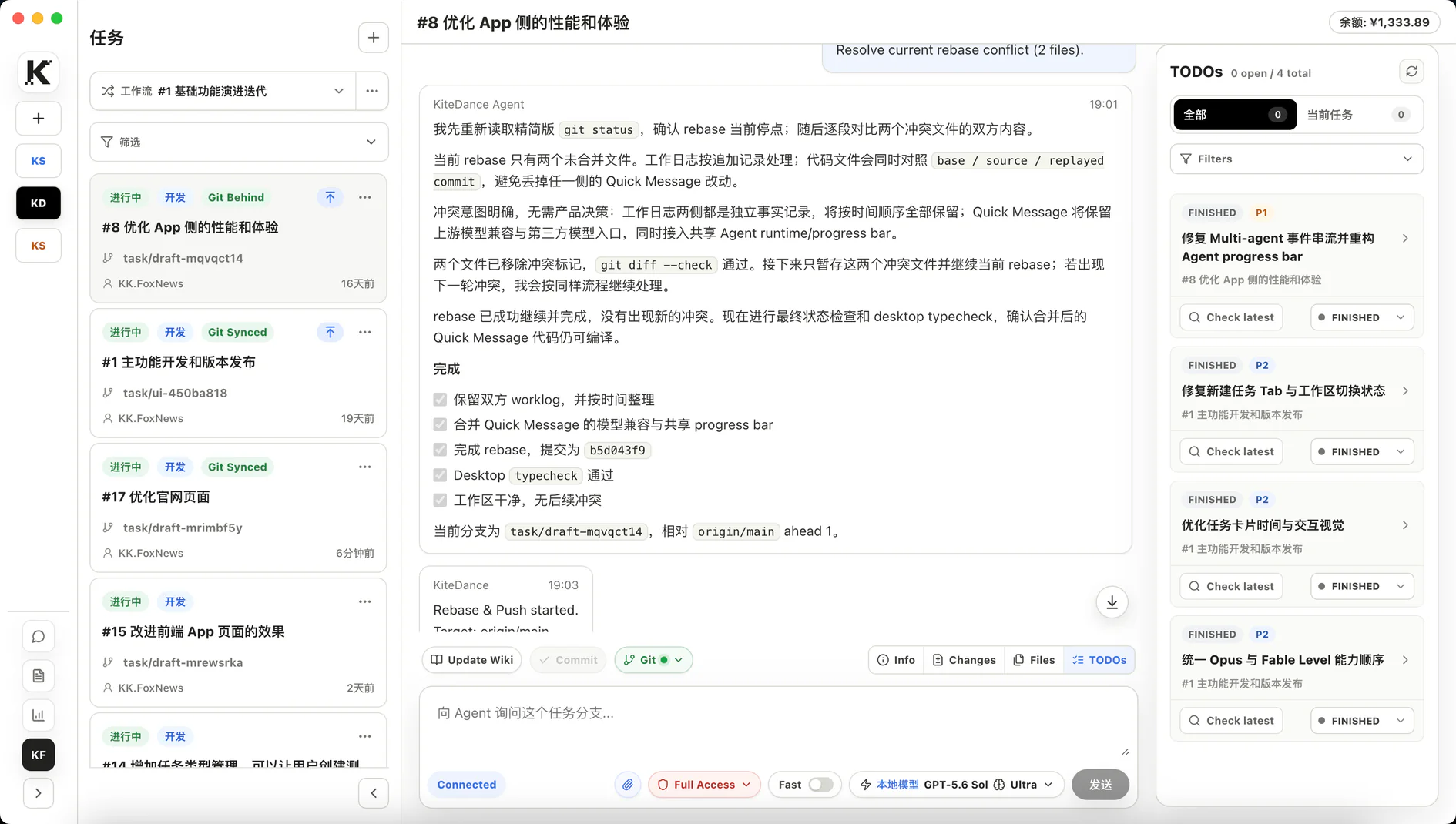
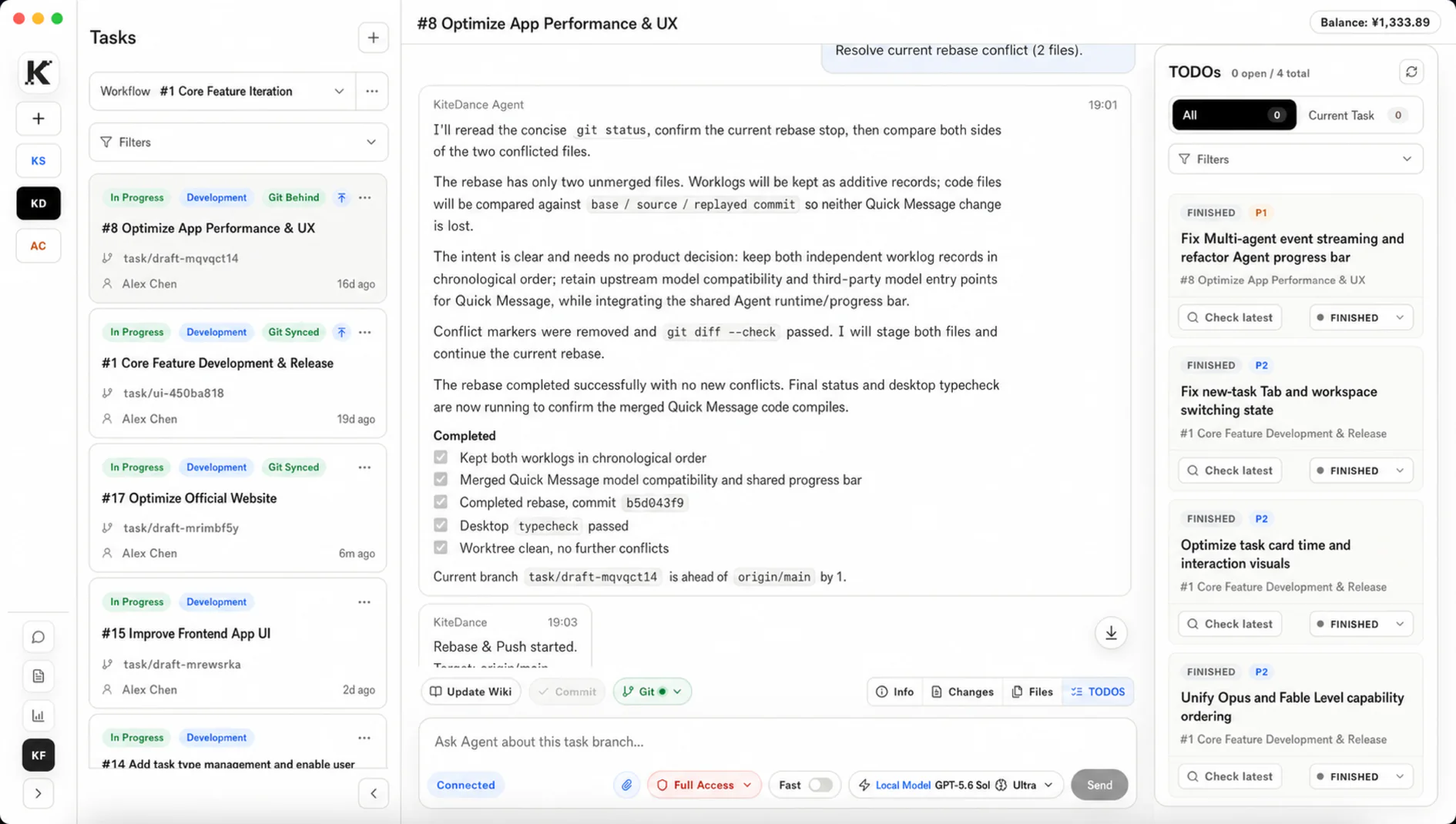
KiteCoding organizes Projects, Workflows, task branches, and local worktrees so teams can run AI coding tasks in parallel and bring results back into a reviewable Git workflow.
Software under maintenance. Downloads are temporarily unavailable.
Task-scoped worktrees
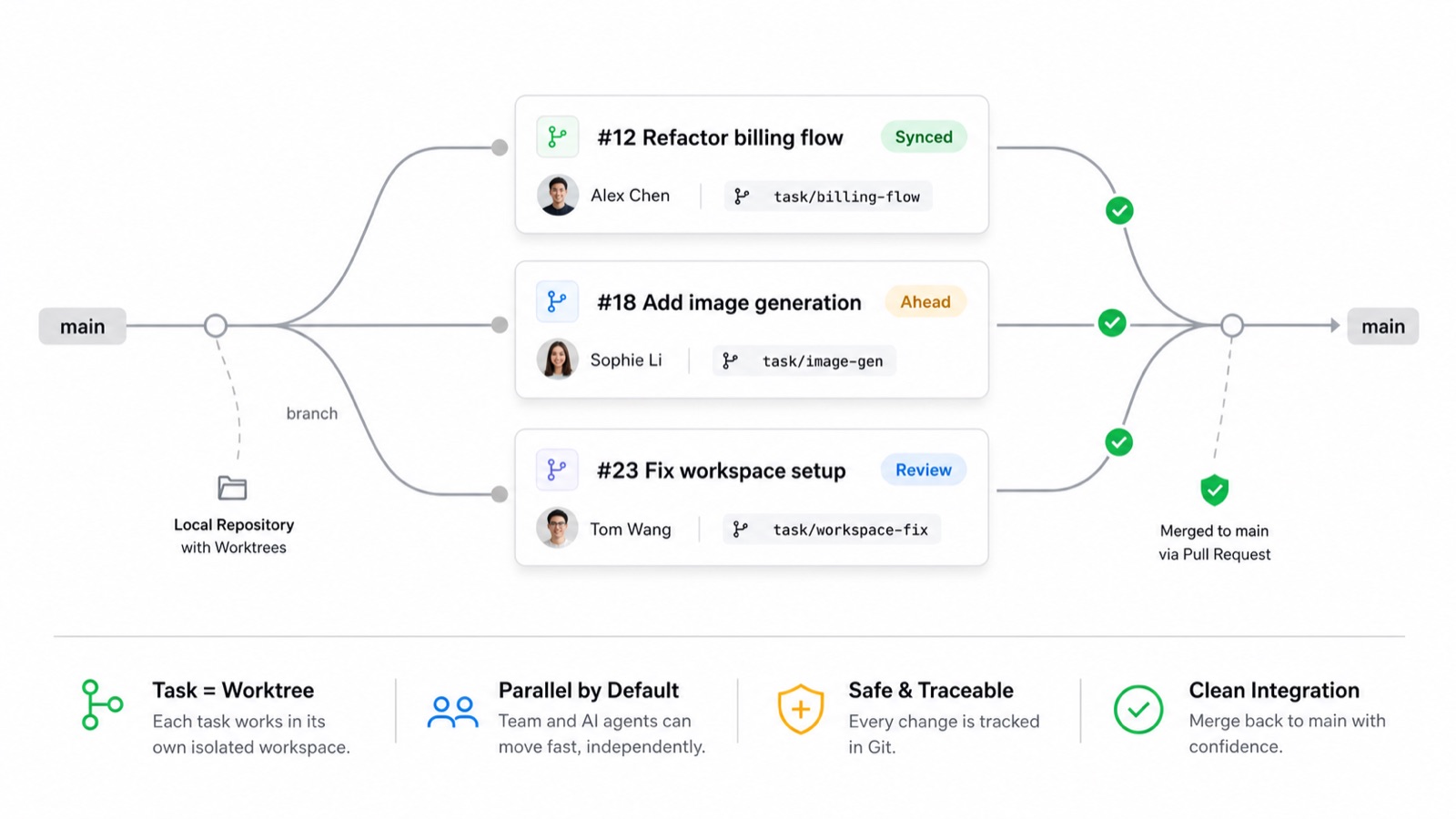
Each task gets its own branch and local worktree, so AI changes do not pollute the main checkout.
Project / Workflow management
Use Projects and Workflows to define goals, rules, members, and task boundaries.
Remote control on mobile
Send commands from your phone to a signed-in device, move tasks forward anywhere, and check task status.
Automated Harness
Built-in Harness Engineering documentation rules automate documentation updates and design review throughout implementation.
Core capabilities
Core capabilities for team AI coding
From Codex-native parallelism to knowledge capture and multi-model access, KiteCoding brings the capabilities required for team AI delivery into one workspace.
01 NATIVE PARALLELISM
Codex-native task parallelism
Combine native Codex SubAgents with KiteCoding's parallel task cards to maximize execution throughput.
02 TEAM COLLABORATION
Card-based task collaboration and tracking
Share tasks across team members and stay aware of everyone's progress from anywhere.
03 TODO AUTOMATION
Automated TODO triage and organization
Test teams can enter issues directly to generate Bug and feature-request TODOs in one shared workspace.
04 PROGRESS SUMMARY
Automatic project progress summaries
Team leads can view generated work summaries for selected projects, tasks, and any time range.
05 KNOWLEDGE GRAPH
Automatic project knowledge graph summaries
Engineers no longer need to maintain documents manually; every member's work continuously generates and updates project documentation and knowledge context.
06 MODEL FLEXIBILITY
Multi-channel, multi-model support
Use existing local Codex and CC models, or connect cloud model channels such as OpenRouter and EasyAPIKey.
Worktree orchestration
WorkTree Branch Isolation
KiteCoding keeps task messages, branch, worktree, Git status, and execution history in one context for parallel team work.
Project, Workflow, and Task manage goals and boundaries across three layers.
Local worktrees isolate AI changes and reduce accidental commits or branch conflicts.
Messages, runtime state, Git operations, and sync results remain in task context.
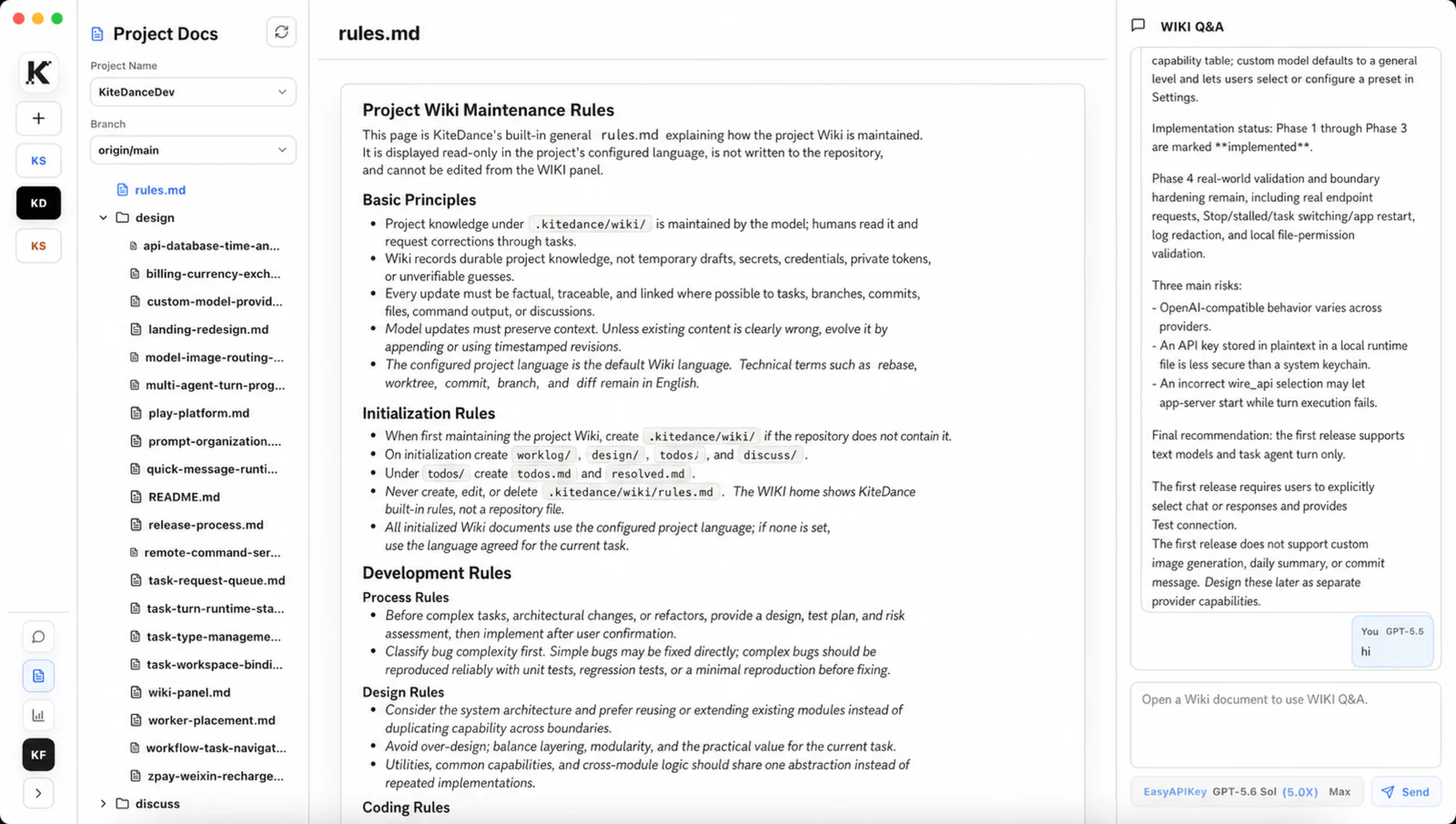
Project Wiki
Fully Automated Project Knowledge Docs
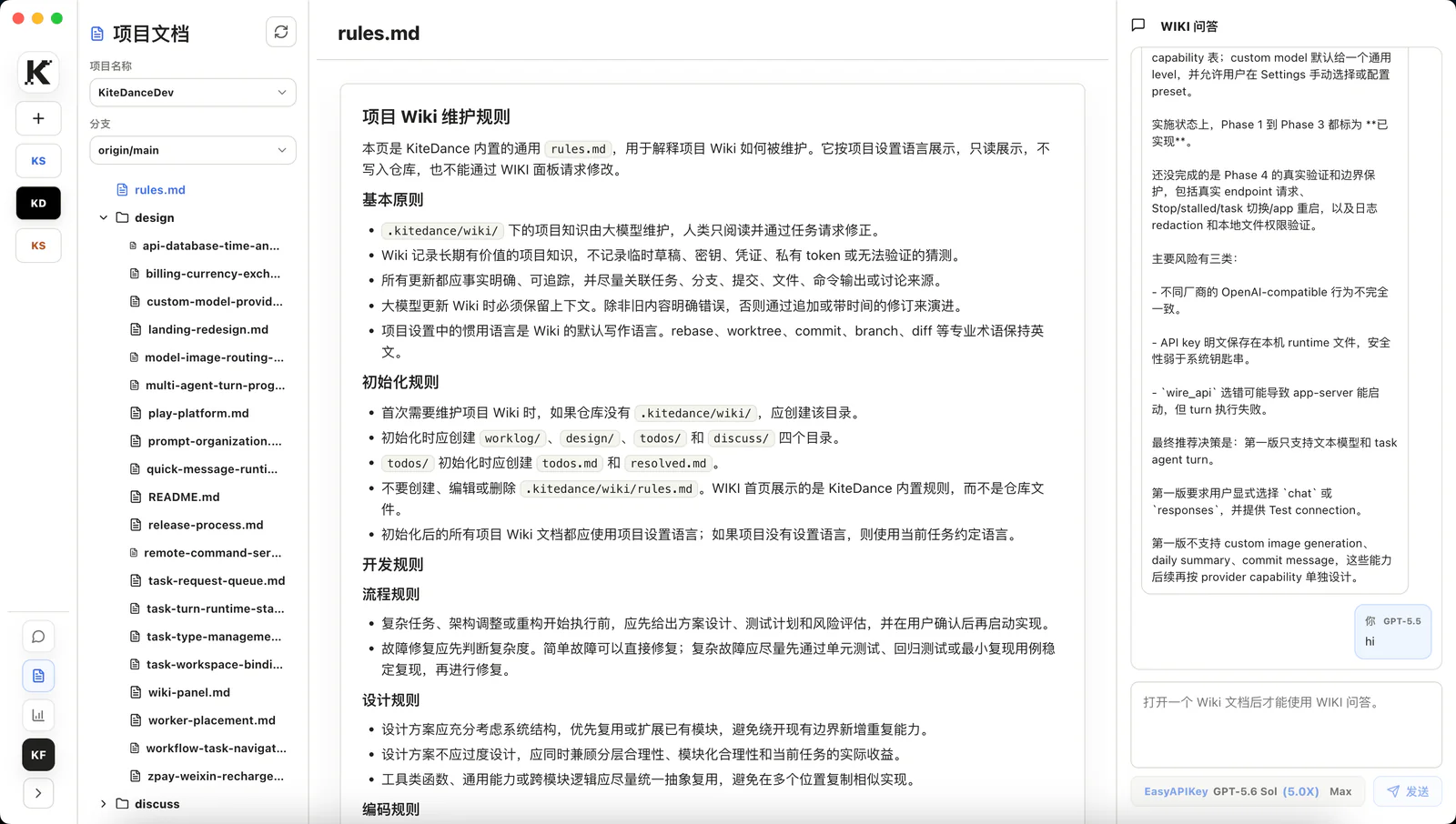
Project Wiki keeps worklog, design, todos, and discussions with the code so the next session can resume from the current state.
Maintain worklog, design, todos, and discussions in the project's language.
rules.md is the built-in read-only home page, preventing accidental edits to project rules.
When teammates switch tasks or resume sessions, they can continue with context intact.
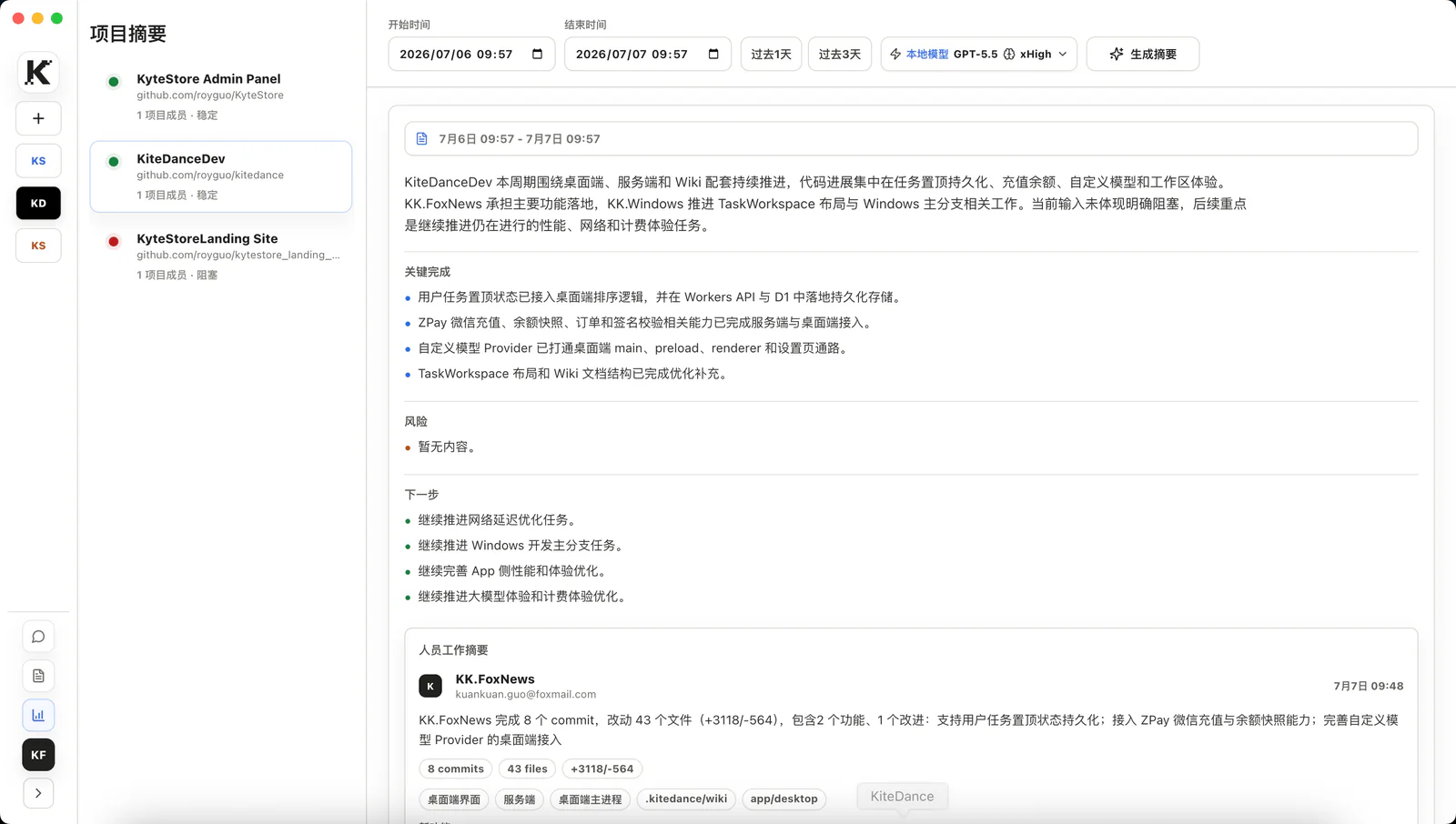
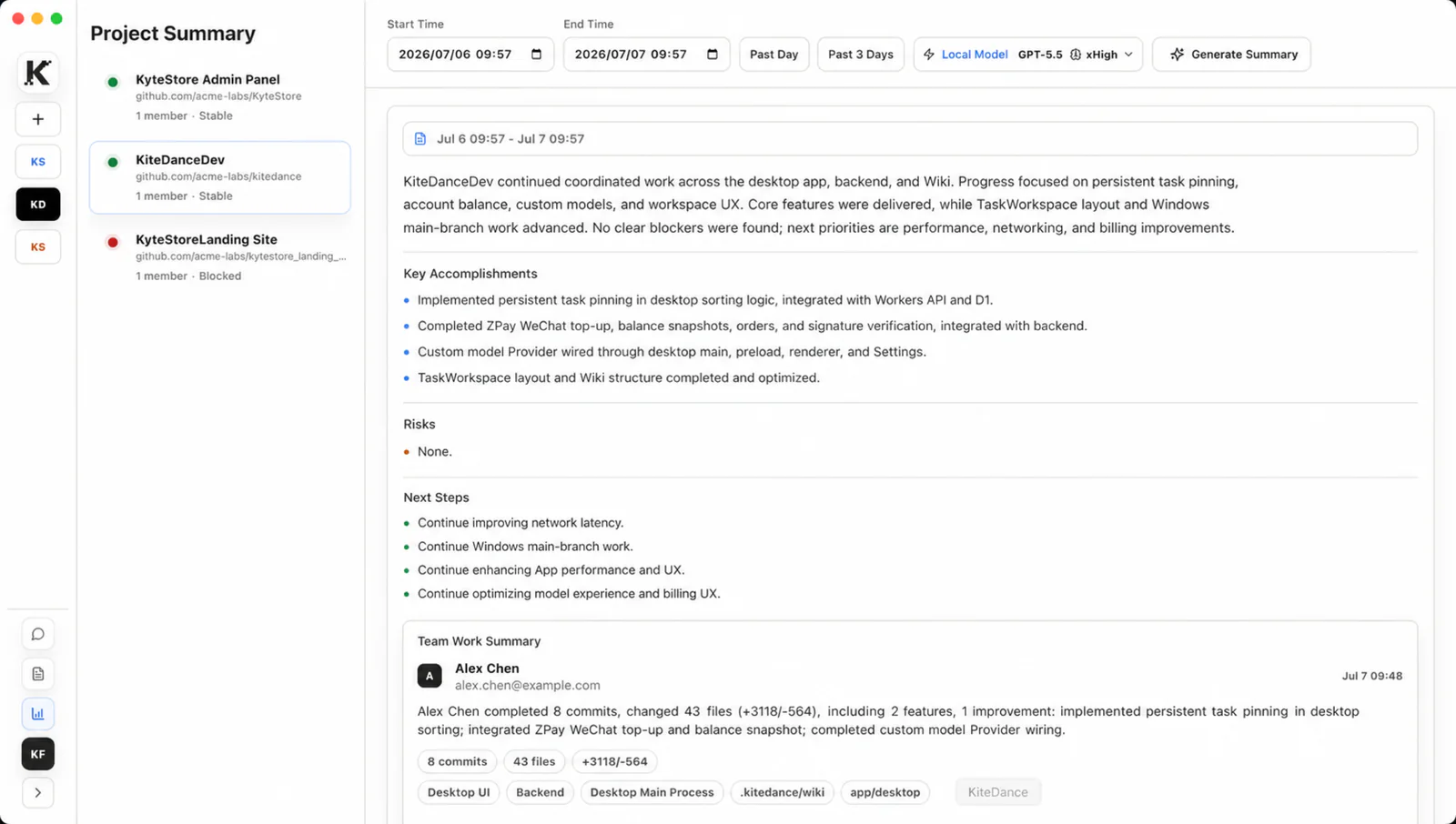
Project summary
Fully Automated Project Summaries
Project summaries distill completed work, risks, and next steps from Git progress, task state, and timelines.
Related commits and work items are merged into readable progress themes.
Completed, risks, and next are written as short sentences suitable for team updates.
When evidence is weak, summaries stay conservative and do not invent tasks, risks, or conclusions.
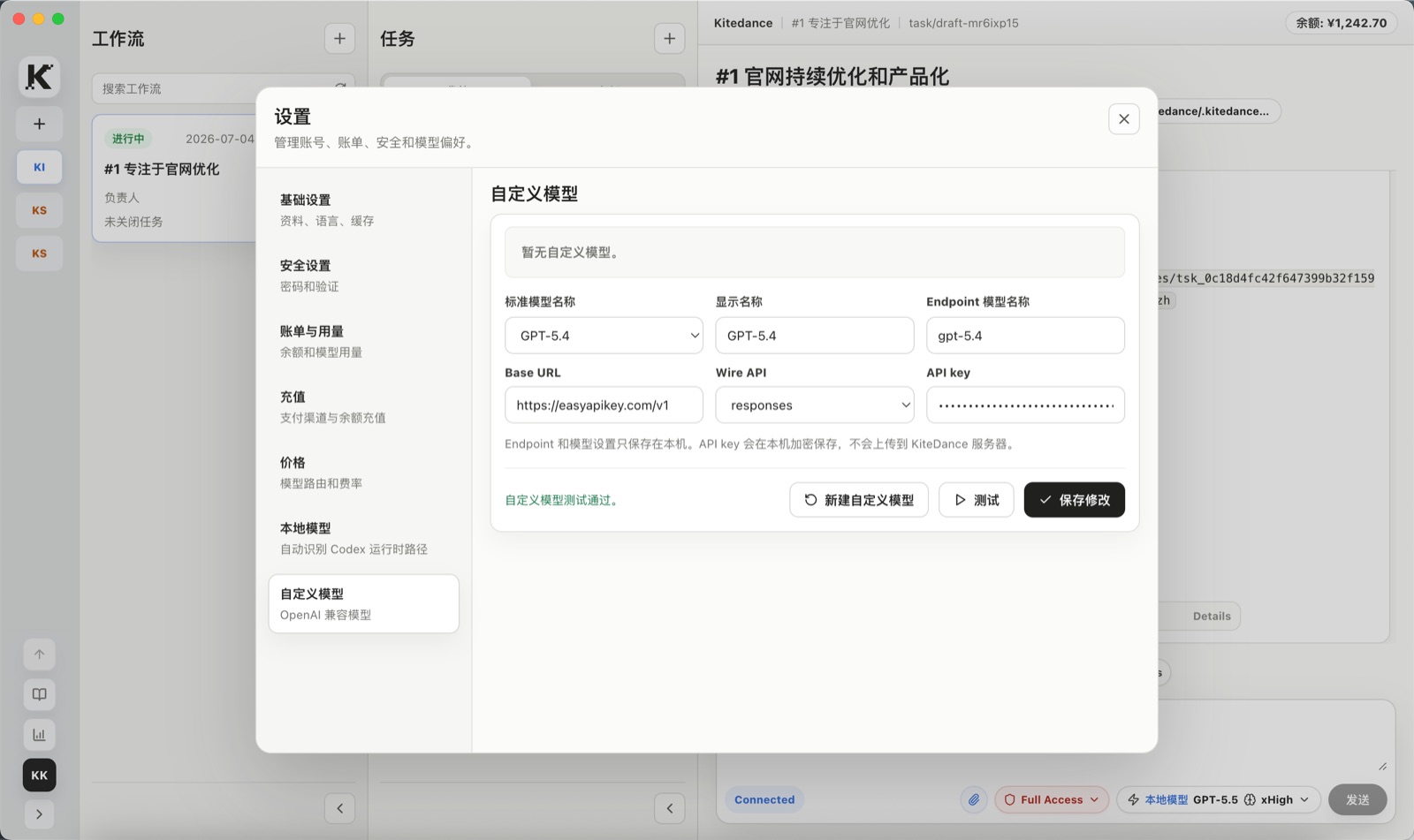
Custom models
Custom Endpoint Support
Custom models let teams connect internal gateways, enterprise proxies, or self-owned model endpoints to KiteCoding while keeping configuration and keys managed locally.
Configure the standard model name, display name, endpoint model name, Base URL, and Wire API.
The API key is saved in the local runtime and is not uploaded to KiteCoding servers.
Test the connection before saving to reduce task interruptions caused by configuration errors.
Self-owned OpenAI-compatible endpoints do not incur KiteCoding model routing service fees.
Models and cost control
Multiple channels for easier cost control
KiteCoding supports EasyAPIKey, OpenRouter, local Codex runtime, and team-owned OpenAI-compatible endpoints, with model, provider, and reference pricing shown in the product.
EasyAPIKey
Default hosted route; KiteCoding charges by sale price estimates with a 115% floor on provider returned cost.
OpenRouter / Cloudflare
Use for broader model choice, regional routing, or provider redundancy; pricing follows provider live prices.
Local runtime
Use local Codex runtime with no KiteCoding model fee, suitable for teams managing local models or providers.
Custom endpoint
Connect your own OpenAI-compatible endpoint; KiteCoding does not charge a model routing service fee.
Models
Provider
Input / 1M tokens
Cached input / 1M tokens
Output / 1M tokens
GLM-5.2
OpenRouter
$0.94
$0.18
$3.00
DS V4 Pro
OpenRouter
$0.435
$0.003625
$0.87
MiMo-V2.5-Pro
OpenRouter
$0.435
$0.0036
$0.87
Qwen3.7 Plus
OpenRouter
$0.32
$0.064
$1.28
Kimi K2.7
OpenRouter
$0.74
$0.15
$3.50
MiniMax M3
OpenRouter
$0.30
$0.06
$1.20
The model prices above are for reference only. Actual token prices depend on current provider pricing and actual account usage.
AI Testing & TODOs
Native AI Testing and TODO Management
KiteCoding keeps test tasks, structured TODOs, Agent execution logs, and Git changes in one workflow so testing stays actionable, traceable, and reviewable.
Create Test Tasks with AI-Assisted Testing
Put test goals, reproduction steps, and acceptance criteria in an isolated Task, then let AI run checks, extend coverage, and summarize results.
Generate and Manage TODOs with AI
AI can create structured TODOs, maintain status, priority, and details, and keep them tracked in the Task panel.
Trustworthy End-to-End Traceability
Test instructions, Agent progress, TODO changes, verification results, and Git changes stay in one task context for review and traceability.
Git-Native Version Isolation
Each Task binds to an isolated branch and worktree, keeping tests and edits out of the main checkout and making delivery clear through diffs and commits.
Software under maintenance. Downloads are temporarily unavailable.
Download
Start collaborative coding now
After installing the app, create a Project, connect a repository, choose a Workflow, then create your first Task and run Codex in an isolated worktree.
macOS
Create Projects, Tasks, and isolated worktrees in your local development environment.
Windows
For teams that need a Windows desktop workflow and want to join the same team projects after download.